Introducing Traceptor — the HTTP debugger your Mac always deserved
A native macOS proxy for inspecting, rewriting, and replaying every request your apps make — built from scratch for Apple Silicon, with a modern SwiftUI interface that actually feels like a Mac app.
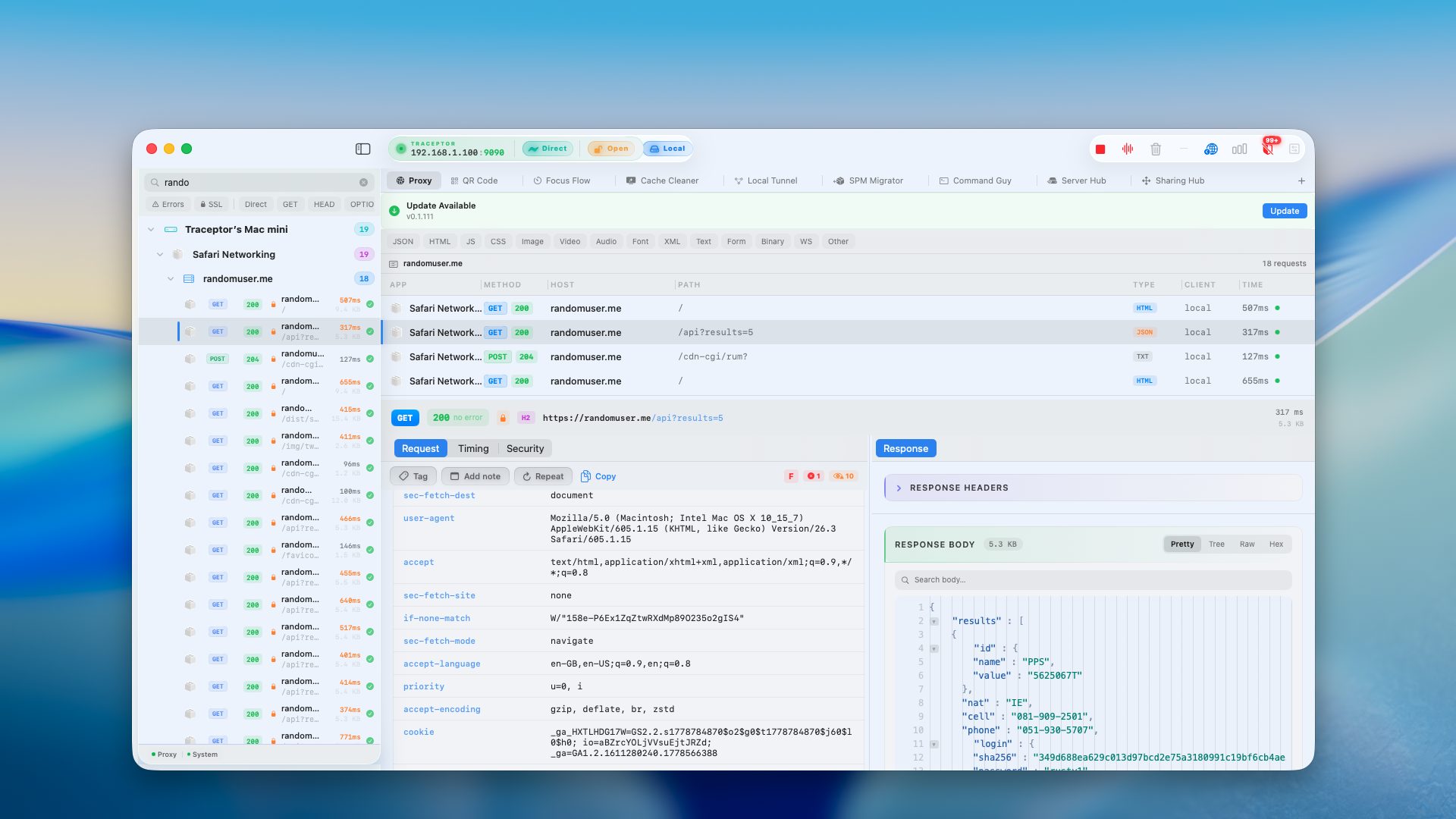
Every app you ship — every screen, every flow, every bug report that says “it just doesn’t work” — comes down to network calls. And yet most of us are still debugging them through a fog: a console log here, a screenshot of a JSON blob there, a teammate on Slack guessing at why the 401 is back again.
We built Traceptor because we were tired of guessing. It’s a native macOS app that sits between your software and the internet, shows you exactly what’s going over the wire, and lets you change it without redeploying a thing.
What is Traceptor?
At its core, Traceptor is a man-in-the-middle proxy with a UI that doesn’t fight you. Point any app — your iOS simulator, a browser, a backend service running on localhost, a physical iPhone on your Wi-Fi — at Traceptor, and every HTTP and HTTPS request it makes shows up in a live, syntax-highlighted timeline.
From there you can do the things you actually want to do with that traffic: pause a request mid-flight, edit the body, replay it with a tweaked header, redirect a URL to a local file, or script a response on the fly. It’s the debugger half of devtools — but for any app, not just the one running in your browser tab.
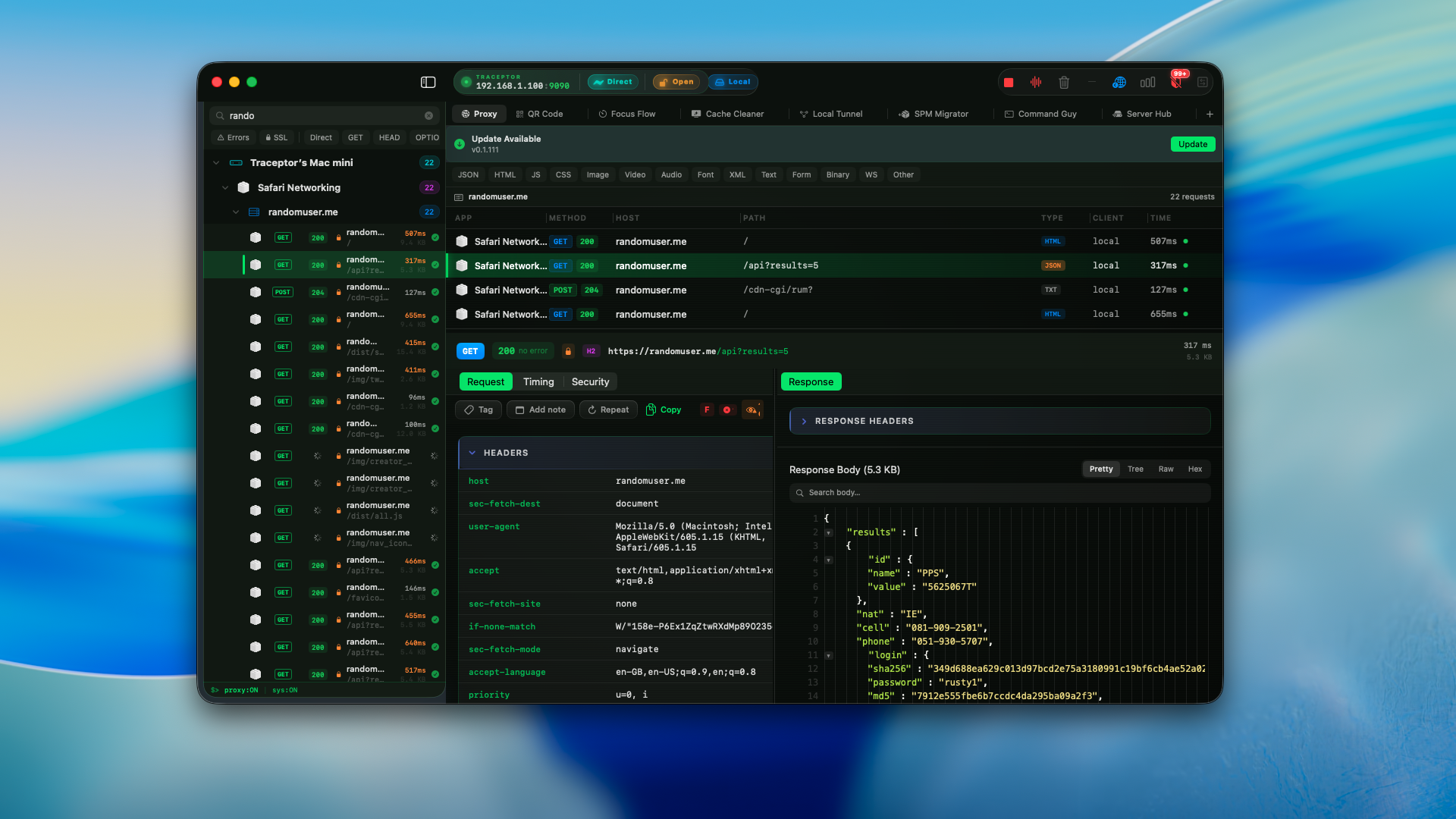
Three things it’s great at
- CaptureSee every request in real time — headers, body, timing, status — with first-class support for JSON, GraphQL, gRPC, and WebSocket frames.
- DebugMap Local rewrites any URL to a file on disk. Map Remote points it at a different server. Breakpoints pause requests so you can edit them before they leave.
- DevicesMobile Setup shows a QR code that opens a friendly setup portal on your phone. Paste the PAC URL into iOS Wi-Fi, install the certificate, done — no IP and port to type.
Getting started in four steps
The whole point of Traceptor is that it gets out of your way. Here is what a first session looks like.
Install and trust the certificate
Download Traceptor and drag it to Applications. On first launch it’ll offer to install its root certificate into your keychain — that’s what lets it decrypt HTTPS traffic on your own machine. Click Install & Trust, type your password, and you’re done.
Start capturing
Hit the big record button in the toolbar. Traceptor automatically configures itself as your system proxy, so anything that obeys macOS network settings — Safari, your IDE, a backend service that uses URLSession — will start flowing into the timeline.
Click any request to see headers, body, cookies, response timing, and a pretty-printed preview. Search and filter live with ⌘F.
Rewrite a response with Map Local
This is the move that pays for the app. Right-click any request and choose Map Local…. Point it at a JSON file on disk, and from then on every matching call returns your file instead of the real server.
rulePattern:  https://api.example.com/v1/user
Local:    ~/work/fixtures/user-pro.json
Status:   200  ·  Content-Type: application/json
Suddenly your “upgrade to Pro” screen is one file edit away, no backend changes, no feature flag, no deploy. Same trick works for empty states, error states, and that one impossible bug QA filed.
Inspect a phone on your Wi-Fi
Open Mobile Setup. Traceptor shows a QR code that encodes a friendly setup portal hosted by the proxy itself. Scan it from your phone’s camera; Safari opens to a step-by-step page with a one-tap Auto (PAC) mode. Copy the PAC URL into Settings → Wi-Fi → Configure Proxy → Automatic, tap Download Certificate, and trust it under Settings → General → About → Certificate Trust Settings. About a minute total — no IP and port to type.
From that point on, every request your phone makes — your own app, third-party SDKs you can’t see inside, the analytics beacons you didn’t know you had — shows up in Traceptor next to the rest. Most teams find at least one surprise the first time they do this. If you’d rather skip the Mac entirely, there’s a separate Traceptor for iOS companion app that captures traffic on the device itself via a NetworkExtension VPN tunnel.
What’s next
Traceptor 1.0 ships today with everything above plus a full security suite — an OWASP API Security Scanner, Secrets & PII Leak Detector, JWT Viewer, SSL Pinning Detector, an HTTP Fuzzer in the Burp Intruder spirit — plus session export to HAR/cURL/Postman, scriptable rewrites in JavaScript, a Network Throttle, and Block Presets that wipe trackers off every device on your Wi‑Fi. More features rolling out soon.
If you build for Apple platforms, we think you’ll feel at home immediately. Try it free — Premium is $29.99 one-time with one year of updates included, and 50% off this week with code WELCOME.