Field notes on network debugging.
Tutorials, deep-dives, and explainers on HTTP/HTTPS debugging — from the team building Traceptor.
Featured · Launch
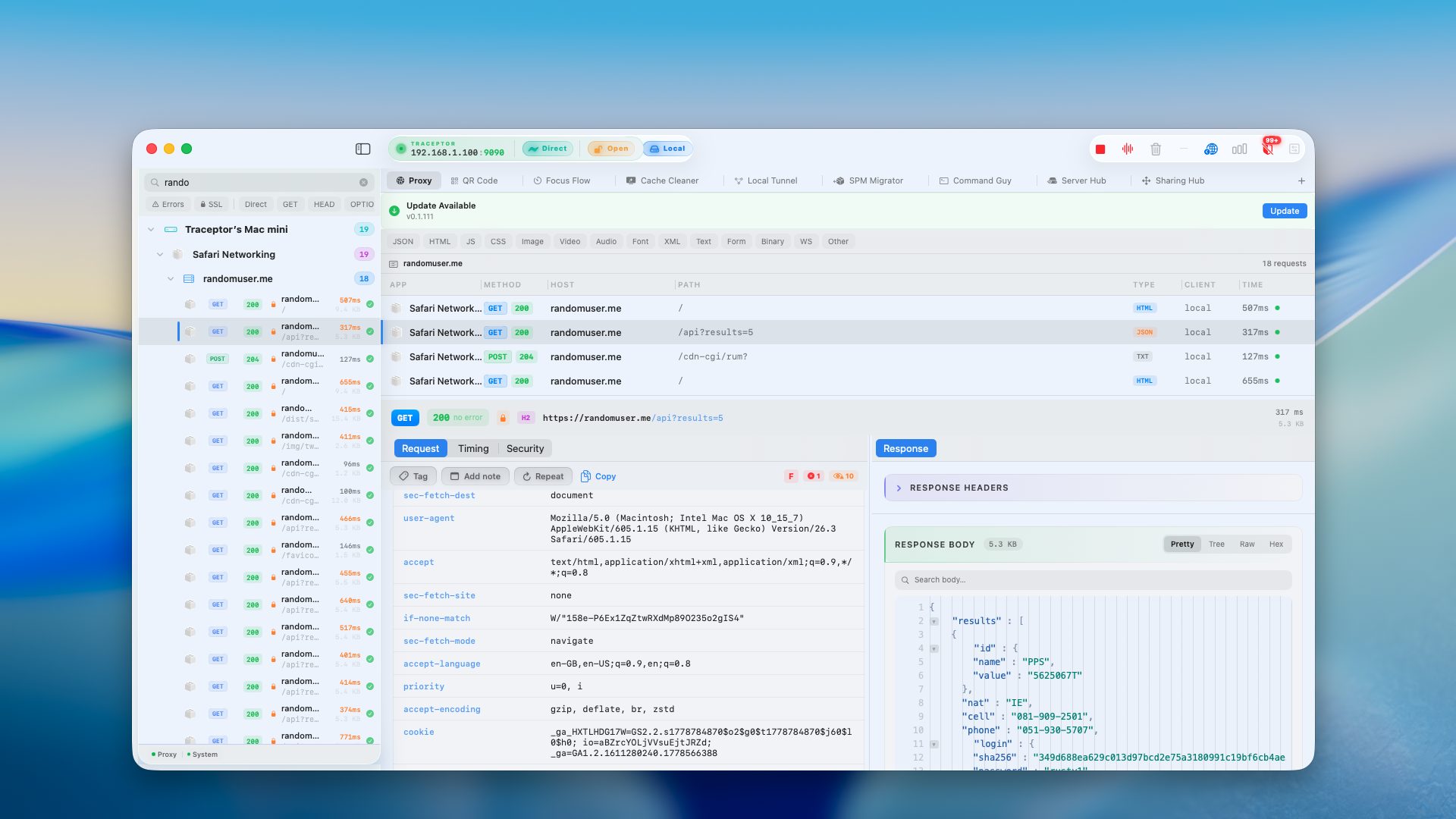
Introducing Traceptor — the HTTP debugger your Mac always deserved
Traceptor is a native macOS HTTP/HTTPS proxy for inspecting, rewriting, and replaying network traffic from any app or device. Here's what it does and how to get started in four steps.
All posts
- Deep dive
Meeting Studio Premium: 154 templates, a standup runner, and a waiting room that teaches while people join
Configure a title, countdown, and crew, then launch a full-screen meeting display. 154 art-directed templates, a live standup runner with an on-deck speaker queue, and a 40-design waiting-room info system that rotates real tips while everyone trickles in.
8 min read - Deep dive
Device Capture: mirror, record, and screenshot your iPhone inside Traceptor — no QuickTime needed
Traceptor's Device Capture tab mirrors any connected iPhone or iPad live on your Mac, records the screen to video, and grabs still snapshots — QuickTime-style, without leaving the app. AirPlay wireless or wired. Android via bundled adb.
5 min read - Deep dive
Network Capture: see every request your iPhone, iPad, and Android make — in real time
Traceptor's Network Capture puts every HTTP request your iPhone, iPad, or Android makes into the same list as your Mac traffic — decrypted, filterable, rewritable. Wi-Fi setup under a minute. On-device capture with no Mac via TraceptorIOS.
7 min read - How-to
23 free developer tools that run in your browser — no download, no login
QR codes, JWT decoding, hash generation, regex testing, JSON formatting, deep link building — all in a single free toolkit at traceptor.com/tools. Nothing to install. No account required.
7 min read - Deep dive
Network Throttle: simulate slow connections to test your app under real-world conditions
Traceptor's Network Throttle applies configurable bandwidth caps, latency, and packet loss to every proxied connection — ten built-in presets from Wi-Fi to 2G, a 100% Loss mode to test offline handling, and a Custom preset with four independent sliders.
6 min read - Deep dive
API Client: send HTTP requests from inside Traceptor without leaving your workflow
Traceptor's built-in API Client is a full HTTP request builder — seven methods, four auth types, Postman collection import/export, cURL round-trips, persistent history, and named collections — all running outside the proxy so your test requests don't pollute captured traffic.
7 min read - Deep dive
How Traceptor automatically detects leaked API keys and PII in your HTTP traffic
Traceptor's Secrets & PII Leak Detector runs a live regex scan over every captured request and response — flagging AWS keys, Stripe secrets, GitHub tokens, OpenAI keys, JWTs, credit card numbers, SSNs, and 30+ other patterns the moment they appear in your traffic.
8 min read - Deep dive
SPM Migrator: swap remote Swift packages for local clones in one click
Traceptor's SPM Migrator parses your Xcode project.pbxproj, lists every remote Swift Package dependency, and rewrites each one you select to a local file reference — with auto-detection of existing clones, a timestamped backup, and one-click revert.
7 min read - Deep dive
How to see which apps are secretly tracking you — and block them
Most people suspect their apps are phoning home constantly. Few have actually watched it happen. Proxy your Mac and iPhone through Traceptor and you see every analytics ping, attribution call, and session-replay upload in real time — then Block Presets kills them with one toggle.
8 min read - How-to
How to clear cache on Mac — and reclaim gigabytes with Traceptor's Cache Cleaner
Traceptor's built-in Cache Cleaner scans seven categories — app caches, Xcode junk, browser caches, developer tool caches, system logs, temp files, and Trash — shows each item's size, and deletes only what you select. No guessing what's safe to remove.
7 min read - Deep dive
15 offline developer tools built into Traceptor — no browser tab, no tracking
Every time you paste a secret key into a web-based HMAC calculator or JWT decoder, you're trusting a server you don't control. Traceptor ships 15 developer tools that run entirely on your Mac — QR Code, App Icon, Lottie Viewer, SVG Editor, Hash, HMAC/SHA, JSON → Code, Regex, Diff, Codec, Color, UUID, Video Compress, AASA Validator, and Resource Onboarding.
9 min read - Traceptor for Education
Teach networking and APIs in depth with Traceptor (an instructor's guide)
A hands-on syllabus for university instructors using Traceptor in network and API courses. Eight modules — HTTP fundamentals, TLS, mocking, mobile, OWASP, throttle, WebSockets, plus lab and grading ideas. Free Premium licenses available for verified educators.
12 min read - How-to
Run the OWASP API Top 10 on every request you capture
Traceptor's Security Scanner runs OWASP API Top 10 (2023) and Mobile Top 10 (2024) checks against every captured request — passively, no replay. Each finding gets a severity, an OWASP reference, and a score that grades the endpoint A through F.
8 min read - How-to
Command Guy: stop retyping the same shell commands every day
Command Guy is a workspace tab inside Traceptor that holds your most-used shell commands as one-click tiles. 27 built-ins out of the box — git, curl, npm, network diagnostics — plus any custom command you save. Live streaming output, exit codes, pinned favorites.
6 min read - How-to
Focus Flow: a Pomodoro timer that blocks YouTube, TikTok, and friends while you work
Classic 25/5, Sprint 15/3, or Deep Work 50/10. While the focus phase is running, Traceptor's proxy blocks YouTube, TikTok, Instagram, X, Reddit, and any host you add — so the click that nukes your flow simply does nothing.
6 min read - Deep dive
Local Tunnel: map any domain (with HTTPS) to your local dev server
Point myapp.local — or *.example.com — at localhost:3000 with real HTTPS. Plus Published Pages: serve your own HTML at a custom domain, complete with a built-in Deeplink Builder for testing iOS and Android deep links.
7 min read - How-to
Block trackers and ads on your Mac and iPhone with one-click Block Presets
Traceptor ships curated Block Presets — Ads, Tracking, Telemetry, Social, Malware. One toggle in Access Control and matching hosts get a TCP RST before TLS. Honest caveat: YouTube in-stream ads still get through, but everything tracking you across apps doesn't.
7 min read - How-to
Sharing Hub: upload photos, HARs, and files from your phone to your Mac
Sharing Hub turns your Mac into a LAN drop-box. Phones, iPads, and laptops scan a QR code and upload files in one tap — and HAR captures open directly in Traceptor's proxy view.
5 min read - How-to
Server Hub: share any file from your Mac to a phone or laptop on the same Wi-Fi
Drop any file onto Server Hub and Traceptor serves it on your LAN. Anyone scans the QR code from a phone or types the link on a laptop to download. No AirDrop, no iCloud, no upload.
6 min read - Deep dive
How to capture and debug WebSocket frames on macOS
Browser devtools stop at the tab boundary. Here's how to capture every WebSocket frame from any app — native, mobile, or backend — and read it like a normal HTTP request.
6 min read - Explainer
What is a MITM proxy? A developer's guide to HTTPS interception
A clear, code-light explanation of man-in-the-middle proxies — how HTTPS interception works, why developers use it every day, and how to use one without compromising your security.
8 min read - Comparison
Best Charles Proxy alternatives for macOS in 2026
An honest comparison of the leading Charles Proxy alternatives on macOS: Proxyman, mitmproxy, Wireshark, and Traceptor. Pricing, native feel, scripting, and which to pick for what.
9 min read - How-to
How to mock API responses without touching the backend
Stop seeding databases and waiting for backend tickets. Use Map Local to swap any API response with a JSON file on disk — perfect for empty states, error paths, and demos.
7 min read - How-to
How to debug API calls from an iPhone (the 2026 guide)
Step-by-step guide to capturing HTTPS traffic from a real iPhone over Wi-Fi — pairing, trusting the certificate, filtering, and the surprises every iOS dev finds the first time.
7 min read - How-to
How to inspect HTTPS traffic on macOS in 2026 (a step-by-step guide)
A complete guide to capturing, decoding, and reading HTTPS requests on macOS — including how the certificate trust step works, what to look for in headers and bodies, and how to do it safely.
8 min read
Try it yourself