API Client: send HTTP requests from inside Traceptor without leaving your workflow
Traceptor's built-in API Client is a full HTTP request builder — seven methods, four auth types, Postman collection import/export, cURL round-trips, persistent history, and named collections — all running outside the proxy so your test requests don't pollute your captured traffic.
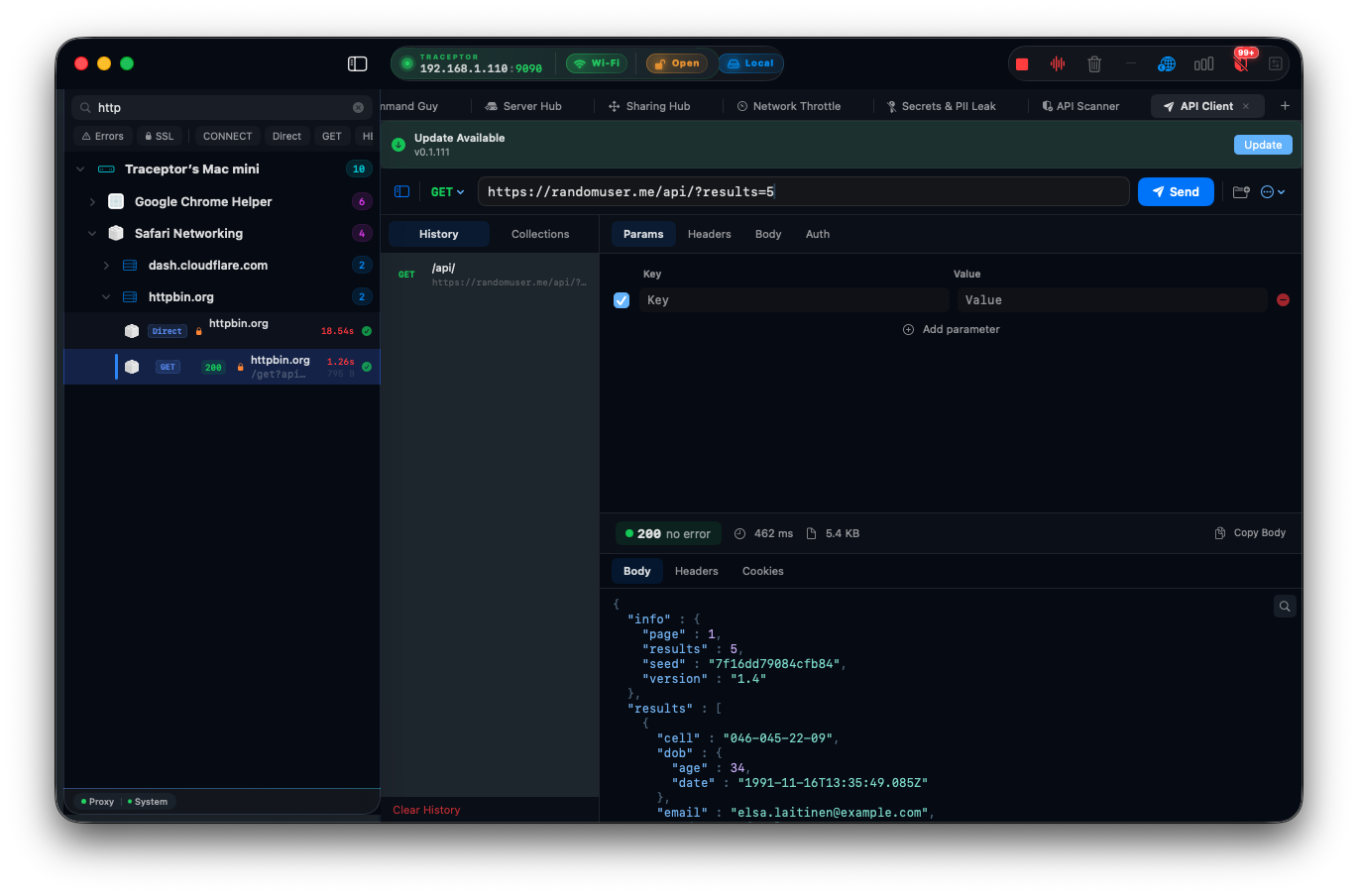
Most HTTP debugging workflows involve switching between at least two tools: the proxy that shows you traffic, and the client that lets you craft requests. Traceptor’s built-in API Client closes that gap. You can build and send a request, inspect the response, and compare it against proxied traffic all in the same window — without spinning up Postman or reaching for cURL.
The API Client is a tab in Traceptor’s workspace. It stores your request history and named collections persistently between sessions, imports and exports Postman collections, and accepts cURL commands directly from the clipboard. Crucially, its outbound requests bypass Traceptor’s own proxy — so the traffic you send from the client never appears in the main proxy capture list.
Building a request
Method and URL
The top bar holds the method picker and URL field. Seven methods are available: GET, POST, PUT, PATCH, DELETE, HEAD, and OPTIONS. Each has its own color so the method is immediately recognizable in history and collections. Hit ⌘↩ to send from anywhere in the editor without reaching for the Send button.
Request tabs
Four tabs let you configure the full request:
- Params — key-value pairs that are appended to the URL as query string parameters. Add a row, toggle it on or off, and the URL bar updates live.
- Headers — key-value header rows, each independently toggleable. Common headers like
Content-TypeandAuthorizationare auto-suggested as you type. - Body — four modes: None (no body), JSON (sets
Content-Type: application/jsonautomatically and opens a syntax editor), Form (URL-encoded key-value pairs), and Raw (free-form text with syntax highlighting). - Auth — three options: None, Bearer Token (adds an
Authorization: Bearer <token>header), and Basic (username + password fields that are base64-encoded and injected as anAuthorization: Basic <credentials>header).
Reading the response
The response pane appears as soon as the request completes. A header bar across the top shows at a glance:
- Status code — color-coded: green for 2xx, orange for 3xx, red for 4xx, dark red for 5xx
- Elapsed time — milliseconds from send to last byte
- Body size — bytes received
- Copy Body — copies the raw response body to the clipboard
Three tabs break down the full response:
- Body — auto-detects the content type and applies syntax highlighting. JSON responses are pretty-printed automatically so nested objects are readable without a separate formatter.
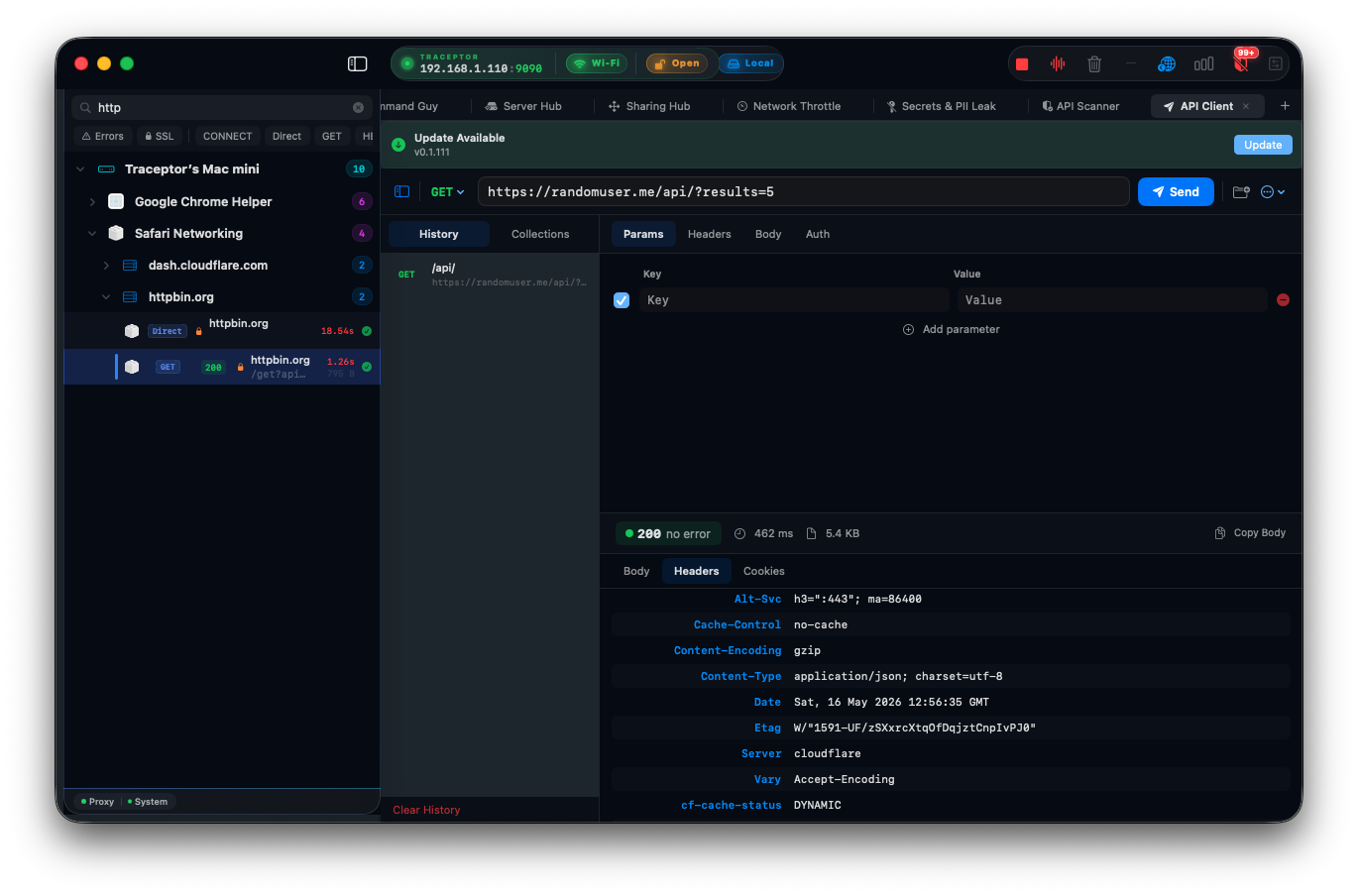
- Headers — all response headers in a key-value table, each copyable.
- Cookies — any
Set-Cookieheaders are parsed and shown as individual cookie rows with name, value, domain, path, and flags.
History
Every request you send is saved automatically to the history list. The last 100 requests are persisted between sessions, so you can close Traceptor and pick up where you left off. Each history entry shows the method badge, URL, status code, and elapsed time. Click any entry to restore its full configuration — method, URL, headers, body, and auth — back into the editor.
Collections
History is automatic but unorganized. Collections let you save requests manually under named folders. Give a request a name, assign it to a collection, and it stays there permanently. Collections are shown in a sidebar alongside history, grouped by folder name with the method badge visible on each row.
This is useful for API endpoints you hit regularly — a health check, a token refresh, a test user creation flow — that you want one-click access to without scrolling through history.
Import and export
Postman collections
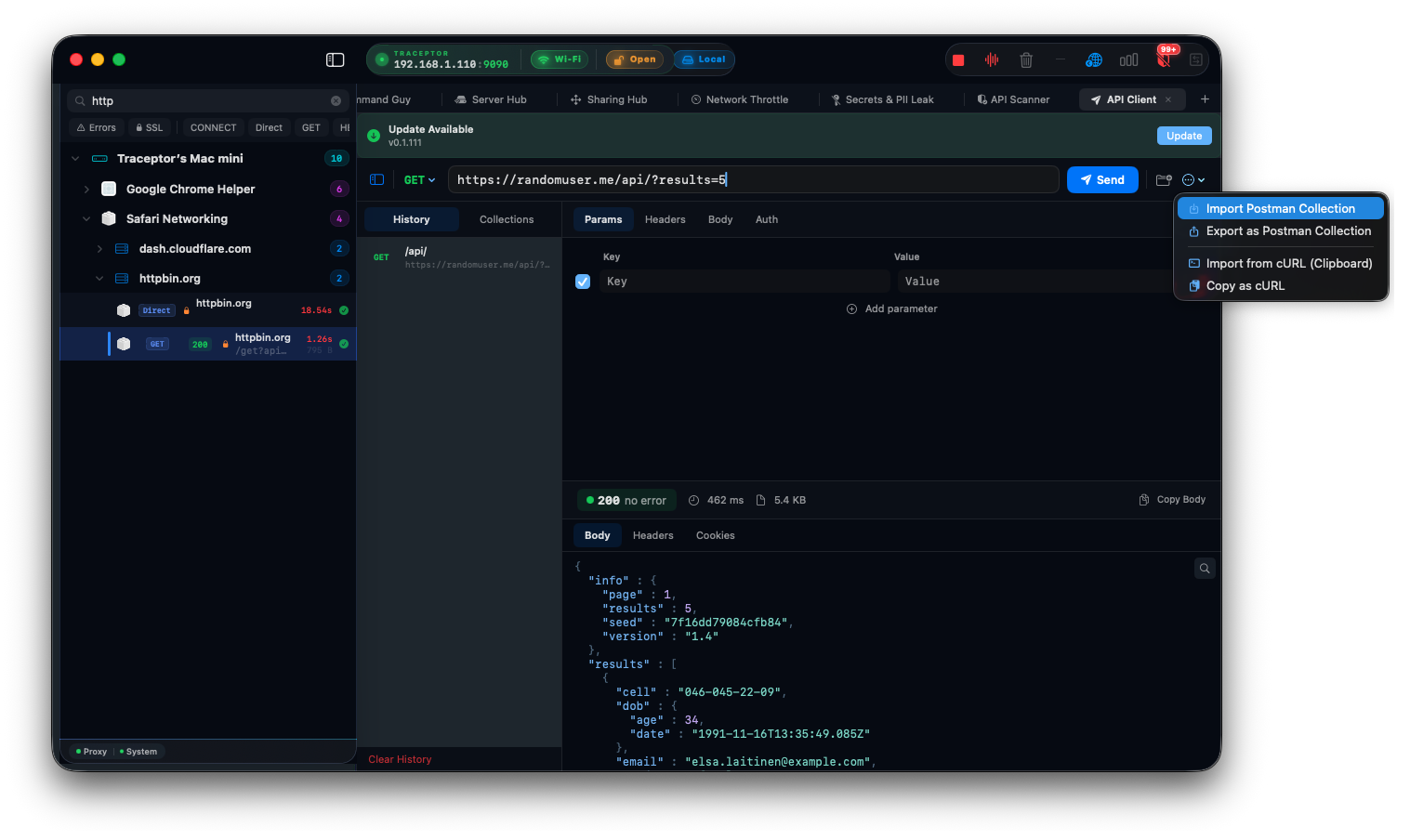
The API Client reads and writes Postman Collection v2.1 JSONformat. Importing a Postman collection brings in every request — with its headers, body, and auth — into a Traceptor collection with the same folder structure. Exporting converts your Traceptor collection back to a Postman v2.1 file you can share with teammates or import elsewhere.
cURL
Copy a cURL command to your clipboard, then use Import from cURL in the toolbar. The parser reads the URL, method, all -H header flags, the -d body, and the auth flags, and populates the request editor accordingly. Going the other direction, Copy as cURL turns the current request into a cURL command on the clipboard — ready to paste into a terminal or a bug report.
Requests bypass the proxy intentionally
Practical uses
Reproducing a request from captured traffic
When the proxy captures a request that triggers a bug, you can reconstruct it in the API Client — same endpoint, same headers, same body — and iterate on variations without touching your app again. The history list keeps each attempt so you can compare responses across different payloads.
Testing an authenticated endpoint
Paste a Bearer token into the Auth tab, set your endpoint, and send. No need to construct the Authorization header by hand. For services that use HTTP Basic Auth, fill in the username and password fields and the client handles the base64 encoding.
Sharing a request with a teammate
Export your collection as a Postman v2.1 file and send it. Your teammate imports it into Postman, Insomnia, or another Traceptor instance and gets all the same requests, folder structure, and configuration. Or use Copy as cURL for a self-contained command that works anywhere.
Keep reading