How Traceptor automatically detects leaked API keys and PII in your HTTP traffic
Traceptor's Secrets & PII Leak Detector runs a live regex scan over every captured request and response — flagging AWS keys, Stripe secrets, GitHub tokens, OpenAI keys, JWTs, credit card numbers, SSNs, and 30+ other patterns the moment they appear in your traffic.
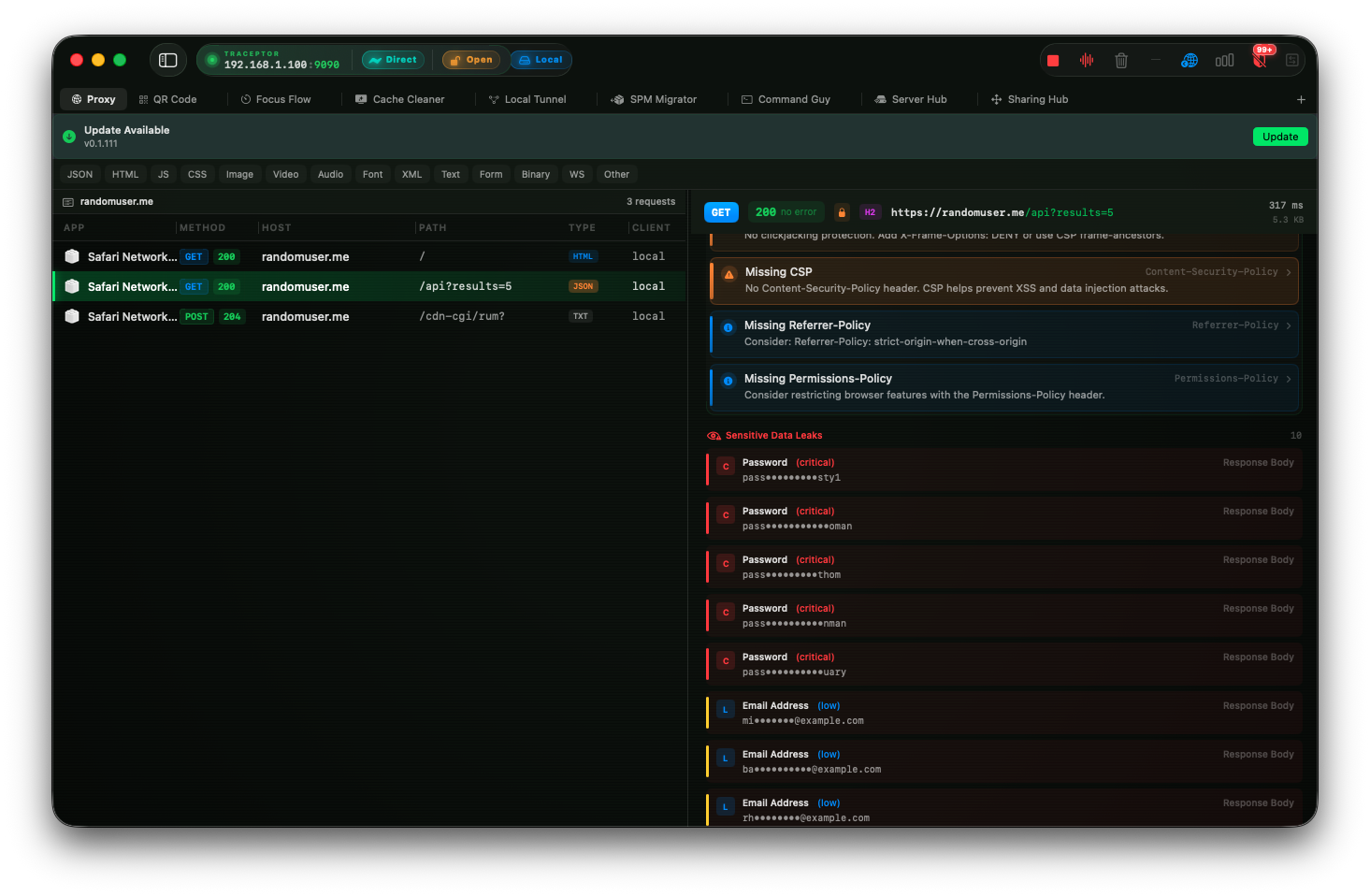
The most common way secrets end up in production is also the hardest to catch in code review: a key gets hardcoded, an internal endpoint echoes credentials back in an error payload, or a third-party SDK logs the token it was initialized with. None of these show up as static analysis warnings. They show up in network traffic — and Traceptor’s Secrets & PII Leak Detector is watching.
The detector runs a live regex scan over every request and response Traceptor captures. It doesn’t require configuration: as soon as traffic is flowing through the proxy, findings start appearing automatically. Each finding shows you exactly which request triggered it, where in that request the value was found, and a masked preview of the matched value so you can confirm it’s real without exposing the full secret on screen.
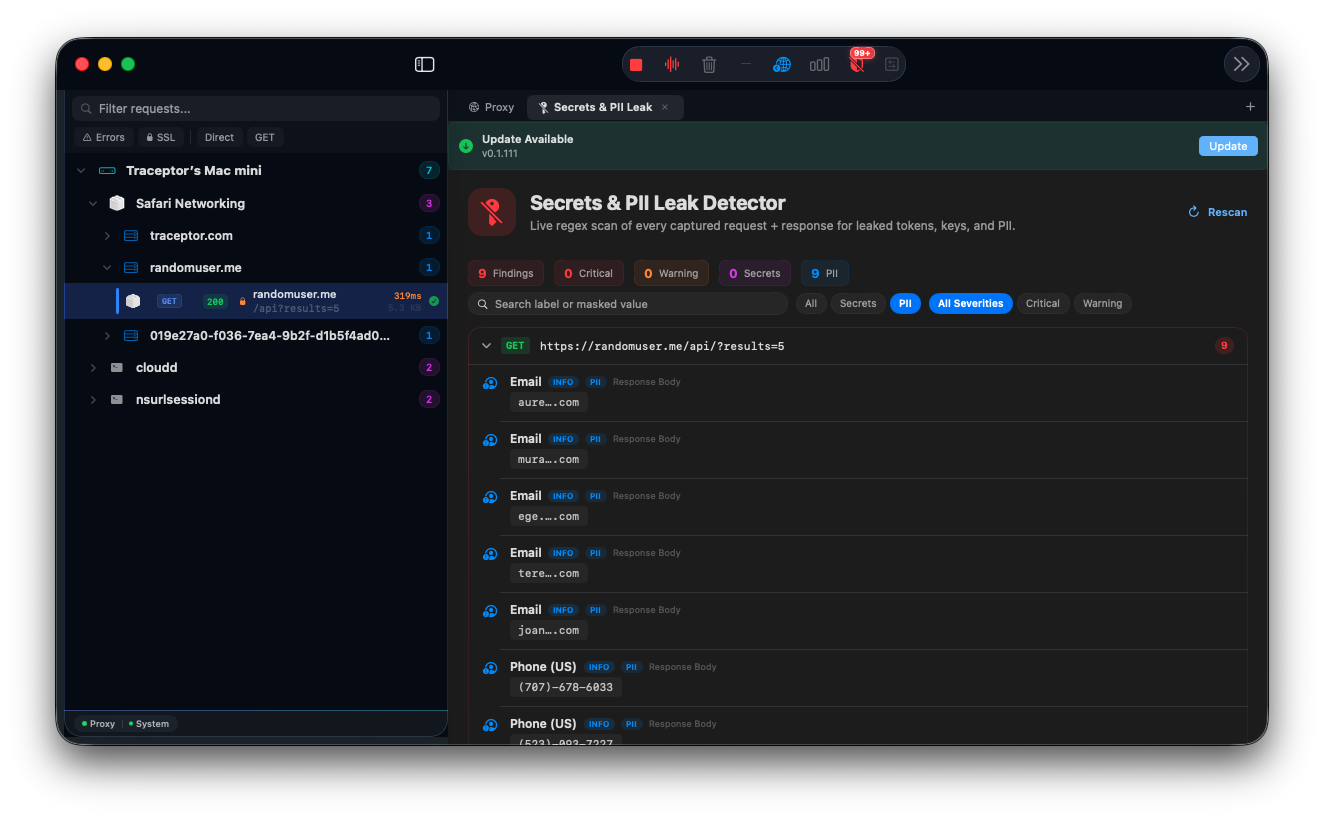
What it scans
Every captured TrafficItem is scanned across four locations:
- Request Headers
- Request Body
- Response Headers
- Response Body (capped at 1 MB to avoid stalling on large binary responses)
The scan runs automatically when you open the Detector and re-runs in the background as new requests are captured. Hit Rescan in the toolbar to force a full pass over all traffic in the current session.
The 30+ patterns it detects
All patterns are regex-based with tight anchors to minimize false positives. Findings are split into two kinds: Secrets (credentials that give access to a system) and PII (personal information that shouldn’t be exposed).
Secrets — Critical severity
- AWS Access Key ID — matches
AKIAfollowed by 16 uppercase alphanumeric characters - AWS Secret Access Key — context-aware match near
secretorprivatekeywords followed by a 40-char base64 value - AWS Session Token — matches the
FQoGZXIvYXdzprefix of temporary STS credentials - Stripe Live Secret Key (
sk_live_...) and Stripe Restricted Key (rk_live_...) - GitHub tokens — Personal Access Tokens (
ghp_), OAuth tokens (gho_), App tokens (ghu_/ghs_), and Refresh tokens (ghr_) - GitLab Personal Access Token (
glpat-...) - Slack Bot Token (
xoxb-,xoxa-, etc.) and Slack Incoming Webhook URL - Google OAuth Token (
ya29....) and Google Service Account JSON (matches the"type": "service_account"field) - OpenAI API Key (
sk-...andsk-proj-...) - Anthropic API Key (
sk-ant-...) - Twilio API Key (
SK+ 32 hex chars) - Mailgun API Key (
key-+ 32 chars) - SendGrid API Key (
SG.prefix) - Heroku API Key (
HRKU-UUID format) - Firebase Cloud Messaging Server Key (
AAAAprefix, 140+ chars) - PEM Private Key (
-----BEGIN ... PRIVATE KEY-----) and SSH Private Key (-----BEGIN OPENSSH PRIVATE KEY-----)
Secrets — Warning severity
- Stripe Test Secret Key (
sk_test_...) — test keys are lower risk than live but shouldn’t be in traffic - Google API Key (
AIza+ 35 chars) - JWT — three-segment
eyJ...eyJ...sigformat - HTTP Basic Auth header — base64-encoded credentials in an
Authorization: Basicheader - Generic API token — key-value patterns like
api_key=...,access_token=...,secret_key=...with values 20+ chars long
PII patterns
- US Social Security Number (
123-45-6789format) — Warning severity - Credit card numbers — Visa, Mastercard, American Express, Discover, and JCB number formats — Warning severity
- Email addresses — Info severity
- Phone numbers — E.164 international format and US
(xxx) xxx-xxxxformat — Info severity - IPv4 addresses — Info severity
Info findings are noise by design
Reading a finding
Findings are grouped by request. Each group shows the HTTP method and URL of the request that contained the leak, with a count badge showing how many findings are inside. Expand a group to see each individual finding:
- Label — the pattern name, e.g. “AWS Access Key ID” or “JWT”
- Severity badge — Critical (red), Warning (orange), or Info (blue)
- Kind badge — Secret (purple) or PII (blue)
- Location — exactly where it was found: Request Header, Request Body, Response Header, or Response Body
- Masked value — the first 4 and last 4 characters of the matched value with the middle redacted as
AKIA…XAMPLE. Values under 16 characters are shown in full. The value is selectable so you can copy it if you need to verify it.
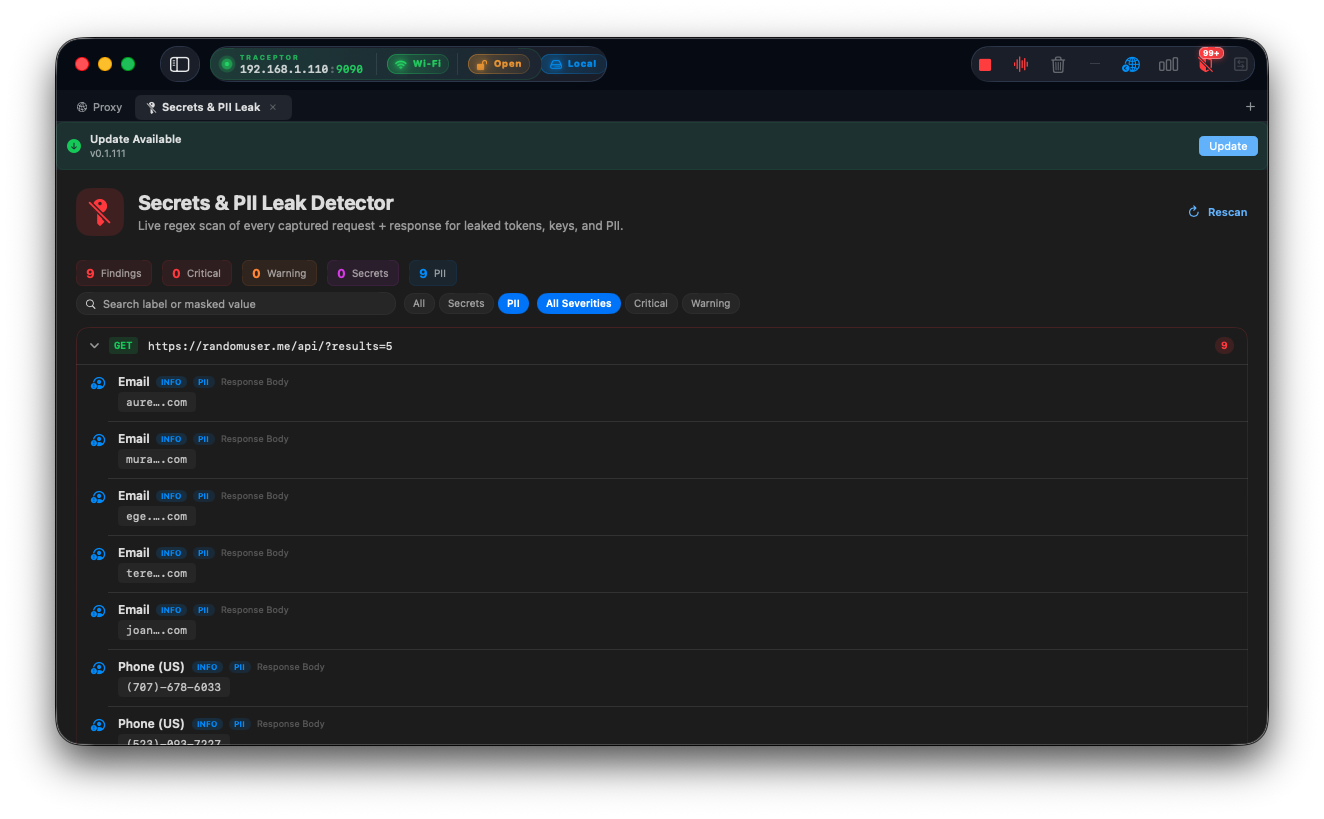
Filtering findings
The top of the view has a stats bar showing total findings, Critical count, Warning count, Secrets count, and PII count at a glance. Below it, two filter rows let you narrow:
- Kind — All / Secrets / PII
- Severity — All Severities / Critical / Warning
- Search — filters by pattern label or masked value; useful for checking whether a specific key prefix appears in any captured request
Practical uses
Catching misconfigured SDKs
Some analytics and crash-reporting SDKs send their initialization key as a request header on every call. If that key is a live production credential with broad permissions, it’s exposed to anyone who can intercept the request — including a device Traceptor is proxying. The Detector flags it as Critical on the first captured request.
Auditing error responses
Unhandled exceptions in a backend sometimes serialize the full exception object into a 500 response, including environment variable names and values from the server context. These show up in the Response Body and are caught by the generic API token pattern or, if the stack trace includes recognizable prefixes, by more specific patterns.
Verifying your own app before shipping
Run your app through its main flows with Traceptor proxying. If a hardcoded test key, a JWT with a long expiry, or a user’s email is being sent somewhere it shouldn’t be, the Detector will surface it before your users do.
Combine with the OWASP Security Scanner
Keep reading