Best Charles Proxy alternatives for macOS in 2026
An honest comparison of the leading Charles Proxy alternatives on macOS: Proxyman, mitmproxy, Wireshark, and Traceptor. Pricing, native feel, scripting, and which to pick for what.
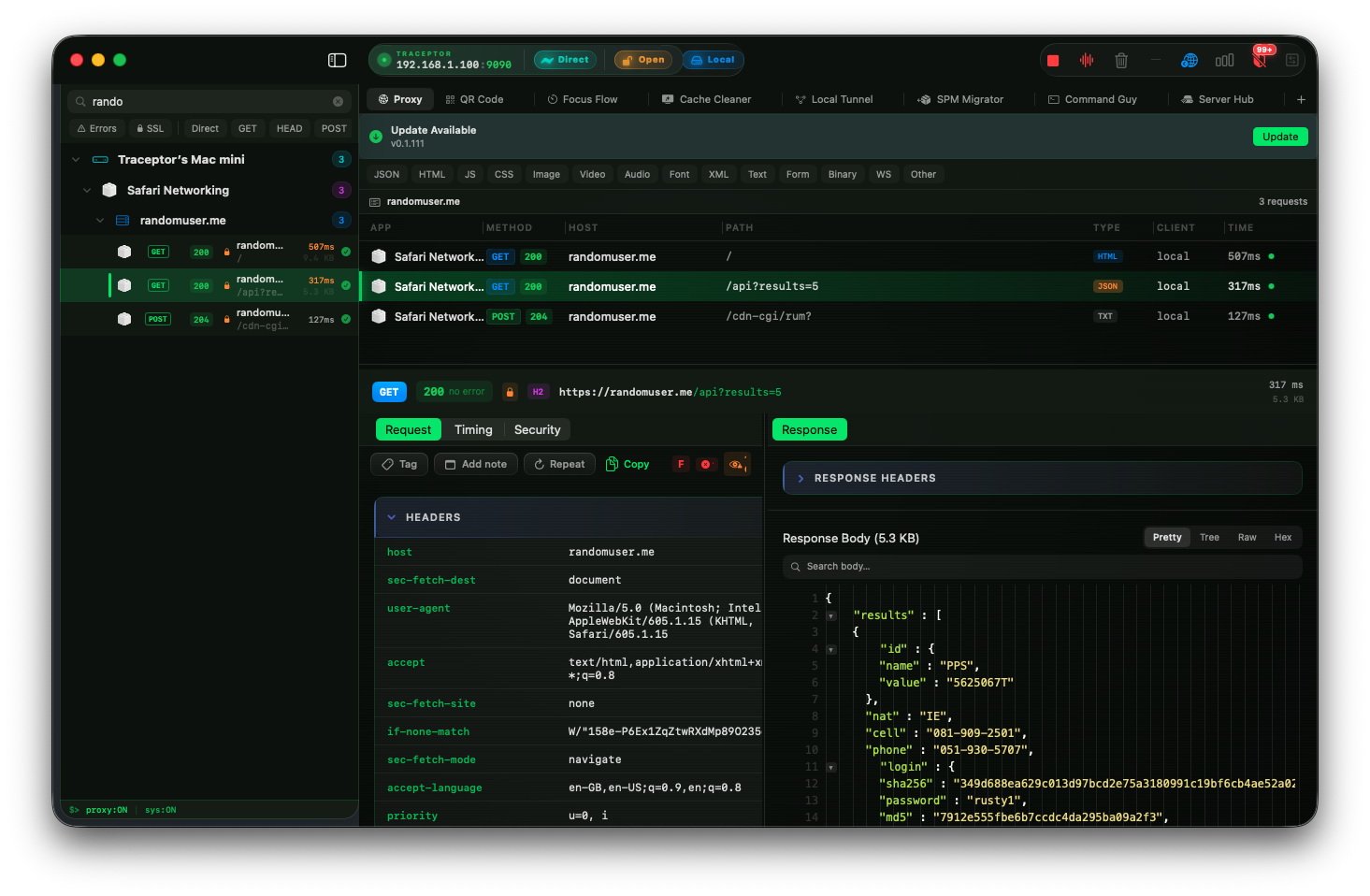
For two decades, Charles Proxy has been the default answer when a Mac developer needed to peek inside an HTTPS request. It is a remarkable piece of software — battle-tested, feature-complete, and stubbornly reliable. But the Mac of 2026 is not the Mac of 2006, and the question of which are the best Charles Proxy alternatives for macOS is no longer a niche one. Native apps, Apple Silicon, modern scripting runtimes, and a wave of thoughtful new tooling have changed what a proxy debugger can feel like to use every day.
This is an honest comparison of the leading Charles Proxy alternatives on Mac: Proxyman, mitmproxy, Wireshark, and our own Traceptor. We will be respectful — Charles is excellent, and so are several of these alternatives. But each tool optimizes for something different, and the right pick depends on how you debug, where your bottlenecks are, and how much you care about a native macOS feel.
Why look beyond Charles?
Charles is still great at what it does. The session list is dense and information-rich, the breakpoint workflow is mature, and the SSL handling has been refined over hundreds of releases. If you already own a license and never touch your Mac, there is no urgent reason to switch. Most discussions of Charles Proxy alternatives start from a place of frustration, not contempt — and that is the right framing.
That said, a few things have aged. Charles is a Java application, which means a bundled JVM, a noticeable memory footprint, and an interface that feels visibly non-native next to a modern SwiftUI app. On Apple Silicon it runs through translation layers depending on the build you grabbed, and large sessions — say, a few hundred thousand recorded requests from a long mobile capture — can make the UI sluggish. The pricing has also shifted: Charles moved to an annual model years ago, and the dated chrome makes that renewal harder to justify when shinier options exist.
None of this makes Charles bad. It makes it a tool from a different era, still excellent at its core job, but no longer the obvious default. That is precisely why the conversation about the best Charles Proxy alternative for Mac is happening now.
What to look for in a proxy debugger
Before listing tools, it helps to know what separates them. When evaluating any Charles Proxy alternative, here is what actually matters in day-to-day work:
- Native feel. Keyboard shortcuts that match the rest of macOS, sane window management, Retina-correct typography, and zero JVM splash screens.
- HTTPS interception that just works. Installing a root certificate should be a guided flow, not a stack-overflow scavenger hunt.
- Request rewriting and mocking. Map Local, response overrides, and ideally a real scripting layer for non-trivial transforms.
- Mobile support. Getting an iPhone or iPad onto your proxy should take seconds, not a paper-printed IP address and a trip into Wi-Fi settings.
- Pricing model. One-time vs. subscription is a real preference, not a rounding error, especially for indie developers.
- Performance under load. Long debug sessions and binary payloads should not turn the UI to molasses.
Proxyman
Proxyman is the obvious first stop when looking for a polished Charles Proxy alternative on Mac. It is a genuinely lovely native app with a thoughtful UI, excellent default keyboard shortcuts, and a deep feature set that has matured impressively over the past few years. Map Local, breakpoints, scripting via JavaScript, multi-hop chains, and an Atlas cloud sync option are all there.
Best for: teams who want the most feature-rich native alternative to Charles. Strengths include a robust scripting runtime, very good iOS integration, and a UI that does not embarrass itself next to Xcode.
Weaknesses are mostly about price and surface area. Proxyman is a one-time purchase — the Standard licence is $89 and includes a year of updates, after which your version keeps working — which makes it the most expensive option in this comparison up front. The feature surface has also grown wide enough that discoverability suffers; there is a lot of UI, and not all of it is well lit. If those things do not bother you, Proxyman is a serious choice and an honest peer to anything else on this list.
mitmproxy
mitmproxy is the free, open-source workhorse of the HTTPS debugging world. It is terminal-first, endlessly scriptable in Python, and absolutely the right tool when you need a proxy you can embed in CI, automate from scripts, or run headless on a server. The mitmweb GUI is functional, and the addon system is one of the most powerful in the category.
Best for: power users, security researchers, and anyone integrating proxy capture into automated pipelines. If you want to write a 40-line script that strips a header, rewrites a JSON field, and dumps everything to a file, mitmproxy is unbeatable.
The trade-off is the experience. The terminal UI is dense and keyboard-only, and the web GUI — while improving — does not approach what a polished native app offers for interactive, exploratory debugging. As a daily driver for inspecting a flaky mobile API at 4pm on a Tuesday, it is more friction than most developers want. As a complement to a native tool, it is excellent and free.
Wireshark
Wireshark deserves a mention because it shows up in every search for proxy tools, but it is not really a Charles Proxy alternative in the strict sense. Wireshark is a packet analyzer — it inspects raw network frames at layer 2 and above. It is the right tool for diagnosing TCP retransmits, TLS handshakes, or a misbehaving piece of hardware on your LAN.
For HTTPS debugging in particular, Wireshark struggles unless you go out of your way to export TLS keys, and even then the workflow is nothing like the friendly request/response view a proxy provides. Use Wireshark when something is wrong at the network layer. Use a proper proxy debugger when something is wrong at the HTTP layer.
Traceptor
Traceptor is our own answer to the question, and we built it because none of the existing Charles Proxy alternatives felt quite right for how a modern Mac developer actually works. It is a native SwiftUI app, built for Apple Silicon from the first commit, and it costs $29.99as a one-time purchase — one year of updates included, then the app keeps working forever even if you skip the optional renewal.
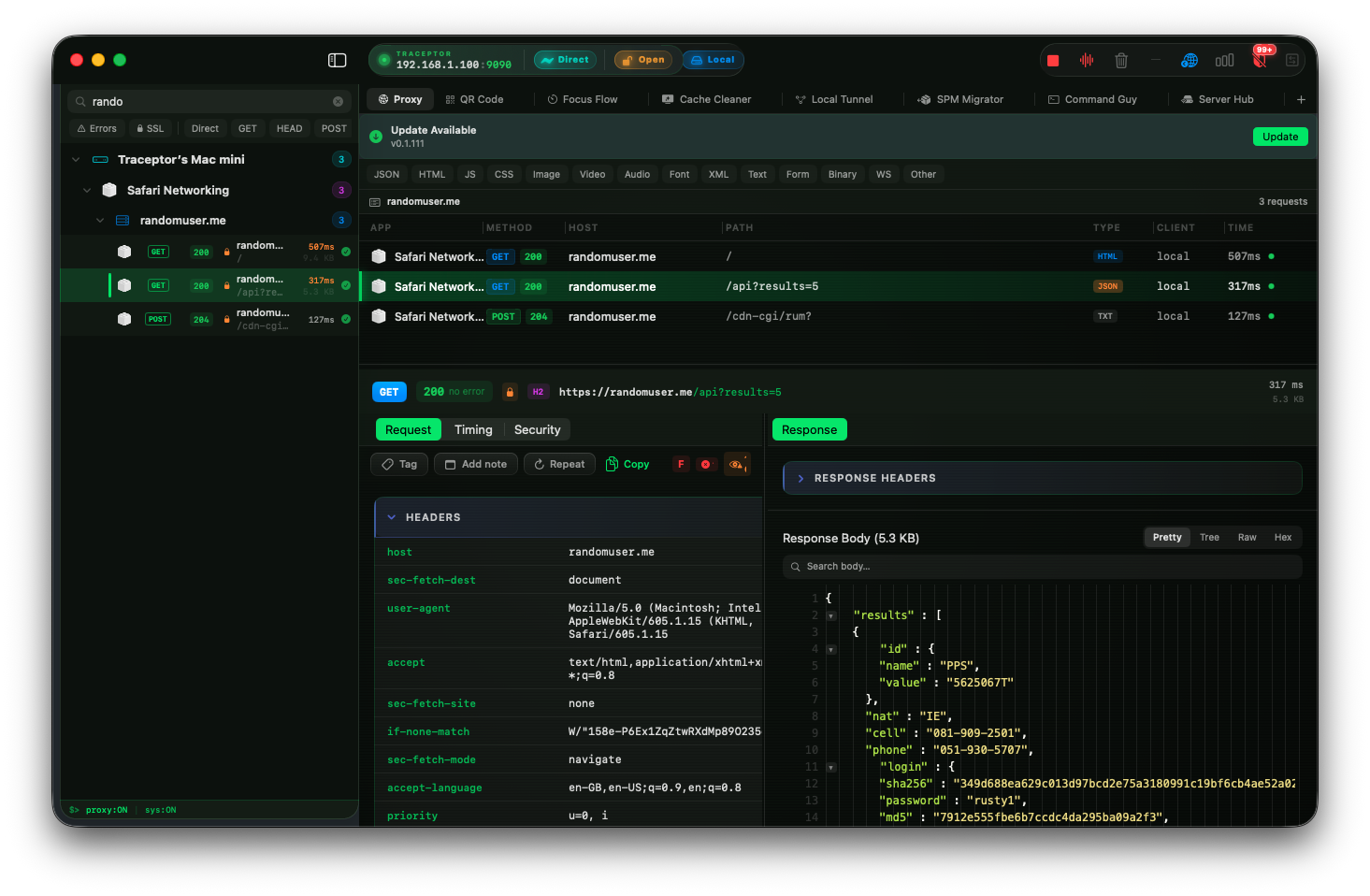
On the feature side, Traceptor covers what you would expect: trustworthy HTTPS interception with a guided certificate flow, Map Local, response overrides, WebSocket frame inspection, and a scripting layer built on JavaScript so request and response rewrites are a few lines away rather than a custom plugin compile. The interface is laid out around how you actually debug — a fast filter, a sane keyboard model, and a request inspector that does not bury the body three tabs deep.
The detail we are proudest of is iPhone setup. Instead of typing your Mac’s IP into the Wi-Fi settings of a phone you cannot see the screen of, Traceptor generates a QR code that opens a friendly setup portal in Safari on the phone. The portal has an Auto (PAC)tab with a one-tap copy of the PAC URL — paste it into iOS Configure Proxy → Automatic and the proxy is configured without an IP or port. The certificate install is similarly guided. For mobile API work this alone saves a meaningful amount of time every week.
Promo
WELCOMEat checkout for 50% off your first Traceptor license — that brings it to under fifteen dollars, with one year of updates included.Side-by-side at a glance
A quick comparison of the four tools across the dimensions that matter most when picking a Charles Proxy alternative:
- Charles — Price:
$50one-time, per major version · Platform: Java/cross-platform · Native feel: dated · Scriptable: limited · Mobile: manual · Best for: existing users who already know it cold. - Proxyman — Price:
$89one-time, a year of updates · Platform: native Mac · Native feel: polished · Scriptable: JavaScript · Mobile: good · Best for: teams who want the deepest feature surface. - mitmproxy — Price: free · Platform: cross-platform CLI · Native feel: terminal · Scriptable: Python (excellent) · Mobile: manual · Best for: automation, CI, and power users.
- Wireshark — Price: free · Platform: cross-platform · Native feel: functional · Scriptable: Lua · Mobile: not really · Best for: packet-level network debugging, not HTTPS workflows.
- Traceptor — Price:
$29.99one-time · Platform: native Mac · Native feel: SwiftUI · Scriptable: JavaScript · Mobile: QR + PAC setup portal · Best for: Mac developers who want a modern, owned tool.
Which should you pick?
Concrete recommendations, by use case:
- You already own Charles and rarely hit its limits. Stay. There is no reason to switch for the sake of switching, and your muscle memory is real value.
- You want the deepest native Mac feature set and the price is not the deciding factor. Proxyman is the safe, excellent answer.
- You live in the terminal, automate everything, or need CI integration. mitmproxy. It is free, scriptable in Python, and remarkable at its job.
- You are debugging at the network layer, not the HTTP layer. Wireshark. Different category, different problem.
- You want a native Mac tool you buy once, that handles iPhone proxying in seconds, and that does not feel like 2008. Try Traceptor. We think you will like it, and at
$29.99one-time with WELCOME knocking that in half, the bar to try is low.
The good news is that the proxy debugger category is healthier now than it has been in years. Charles built the road; the modern Charles Proxy alternativesare paving over it in different ways, and there is genuinely a great choice for every kind of developer. Pick the one whose trade-offs match yours, and trust that you will not be stuck with it forever — these tools all read each other’s session formats more or less cleanly, and switching is cheaper than it looks.
Keep reading