Focus Flow: a Pomodoro timer that blocks YouTube, TikTok, and friends while you work
Classic 25/5, Sprint 15/3, or Deep Work 50/10. While the focus phase is running, Traceptor’s proxy blocks YouTube, TikTok, Instagram, X, Reddit, and any host you add — so the click that nukes your flow simply does nothing.
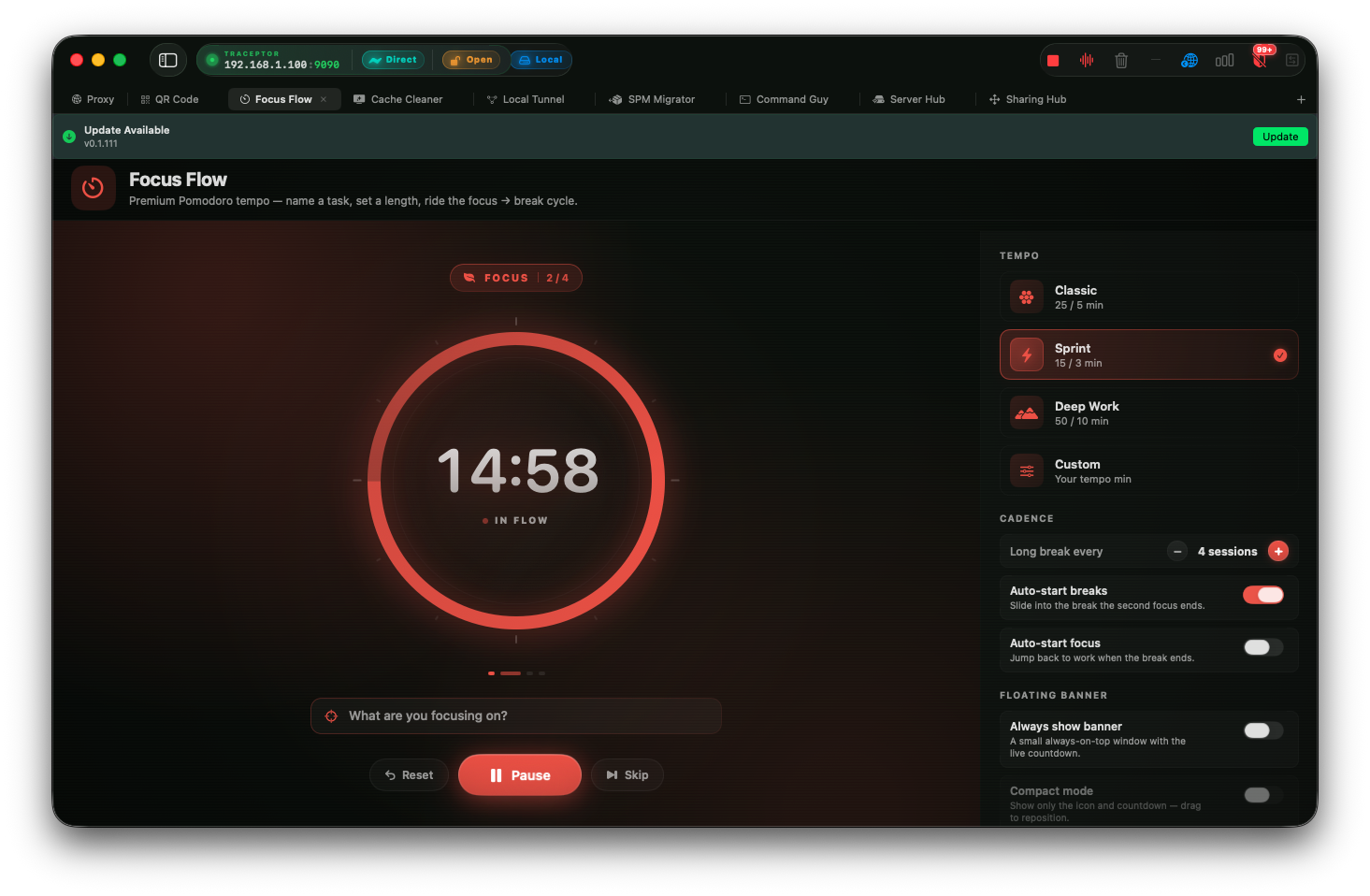
You sit down at 9:14 AM with a real plan. Twenty-five minutes of head-down work on the thing you’ve been avoiding for a week. Twenty-three minutes in, a Slack notification slides in — a teammate dropped a YouTube link, “you have to see this.” You click. Forty minutes later you’re watching a video about how a Boeing 747 gets washed, your coffee is cold, and the thing you were going to do is still not done. Every Pomodoro app on the App Store tells you, sternly, not to click. Focus Flow is different. Focus Flow is a pomodoro timer block websites macusers have actually been asking for: it lets you click. The click just doesn’t go anywhere.
What Focus Flow actually is
Focus Flow is two things welded together: a Pomodoro timer and a distraction blocker. The Pomodoro half is what you’d expect — pick a tempo, name the task, start the timer, cycle through focus and break phases. The blocker half is the part that makes it work. Traceptor is already running as your local proxy, which means every request your browser makes — every tab, every background fetch, every embed — flows through it. When the focus phase is active and a request goes out to a host on your distractor list, Traceptor short-circuits the connection and returns a Focus block page instead of the real response. The page you wanted never loads. The video never starts. Your flow never breaks.
The name is a nod to Kaizen — the idea that small, repeated, deliberate sessions compound into real work over time. One 25-minute block alone is nothing. Four of them, uninterrupted, three days in a row, is a feature shipped. Focus Flow is the scaffolding that makes those four blocks actually happen.
Pick your tempo
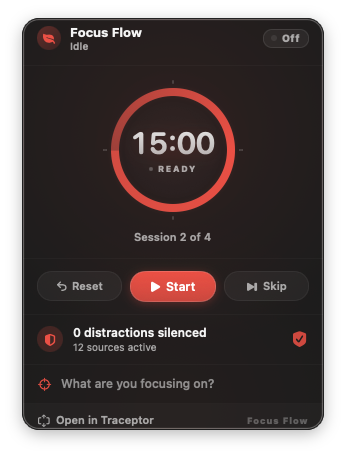
Four presets ship in the box. Three are opinionated, one is whatever you want it to be.
- Classic— 25 minutes focus, 5 minute short break, 15 minute long break. The original Pomodoro tempo, and the right default if you’ve never done timed work before. Long enough to get somewhere, short enough that you don’t resent starting.
- Sprint— 15 / 3, with a 10 minute long break. For high-friction tasks where 25 minutes feels like climbing a wall. Replying to a backlog of email. Filing expenses. Anything where momentum matters more than depth.
- Deep Work— 50 / 10, with a 25 minute long break. For when you’re actually building something and 25 minutes barely gets you into the headspace. Pair with headphones and an empty calendar.
- Custom— your own focus, short break, and long break durations. If 40 / 8 is your number, set 40 / 8.
Start a session in 3 steps
Open Focus Flow in Traceptor
It’s in the sidebar alongside your other tabs. The Focus Flow view shows the timer, the preset picker, the task field, and the distractor catalog.
Pick a preset (or Custom) and name the task
Choose Classic, Sprint, Deep Work, or Custom. Then type the one thing you’re going to do in this block — finish the auth refactor, write the launch post, review Anna’s PR. Naming the task is the part most apps skip; it’s also the part that makes a 25-minute block feel like a commitment instead of a vibe.
Hit Start
The focus phase begins. The floating banner appears in the corner of your screen, tinted sunset coral, showing the countdown and the task name. The menu bar countdown lights up. The proxy quietly switches its block list on. From here until the bell, the hosts on your distractor list are gone.
Built-in distractor presets
Focus Flow ships with a catalog of the usual suspects. Each preset is a bundle of host wildcard patterns; toggle one on and every host in the bundle is silenced during the focus phase.
- YouTube— the obvious one, including video CDN hosts so embeds also fail.
- TikTok — main domain plus CDNs and the older
musical.lyaliases. - Instagram— the app and the image CDN.
- X / Twitter — both the old
twitter.comand the newx.com, plust.coredirects. - Reddit — including
redd.itand the media CDN, so image links from Slack don’t sneak through. - Facebook— main site, Messenger, and the CDN.
- And more: Twitch, Netflix, news sites (CNN, BBC, NYT, The Verge, Hacker News), shopping (Amazon, eBay, Etsy), LinkedIn, Discord.
The patterns themselves are plain wildcard host strings — the same syntax the rest of Traceptor uses. The YouTube bundle, for instance, looks like this:
rule*.youtube.com
youtube.com
*.youtu.be
*.googlevideo.com
*.ytimg.com
Toggling YouTube on means every one of those hosts gets short-circuited during the focus phase. The leading *. covers subdomains; the apex is listed explicitly because *.youtube.com doesn’t match youtube.com itself.
What happens when you click a distractor
Mechanically, here’s the path. Your browser opens a connection through the Traceptor proxy. The proxy checks the destination host against the active focus block list. If it matches a pattern in any enabled distractor preset, the request never goes upstream. Instead, the proxy synthesizes a response: a small HTML page tinted in the current phase’s color — sunset coral while you’re in focus, tea green during a short break, deep indigo during a long break. The page tells you which phase you’re in, which task you said you were working on, and how much time is left on the clock.
It’s a tiny moment, but it does something important: it converts the click from “I am now watching a video” into “oh, right, I was working.” The friction is enough. You go back to your editor.
Phases and color-coding
The three phases each have their own personality, on purpose. The color and icon change so a glance at the banner tells you immediately whether you’re supposed to be heads-down or stretching.
- Focus — warm sunset coral,
leaf.fillicon. The “head down and work” phase. Distractors are blocked. - Short Break — tea green,
cup.and.saucer.fill. The “stand up and stretch” phase. Five-ish minutes, depending on the preset. - Long Break — deep indigo,
moon.stars.fill. The “walk around the block” phase that lands after a few focus cycles.
Three surfaces, one timer
The same engine powers three different bits of UI so you’re never wondering how much time is left.
- Floating banner— an always-on-top window tinted with the current phase color. Full mode shows the phase label, the task name, a soft pulse dot, and the countdown. Minimized mode collapses to a chip that hugs the corner of your screen. Either way it sits above your code editor without stealing focus.
- Menu bar countdown— the same time, parked in the macOS menu bar. You don’t need to bring Traceptor forward to see how much focus you have left.
- Status popover— click the menu bar item for a small popover with pause, skip, and end controls. Pause if a meeting starts. Skip if you finished early. End the session and the proxy stops blocking immediately.
Why a proxy is the right place to block
Most website blockers fall into one of two buckets. Browser extensions are easy to install but trivially easy to disable — one click in the extensions menu and you’re back on YouTube. OS-level blockers (the ones that need a kernel extension or full-disk access) work better but nag you on every install, every update, and every restart, and they tend to break in strange ways when macOS updates. Neither is great.
A proxy you already trust is a different proposition. Traceptor is on your machine, running with your permission, already seeing every HTTPS request your browser makes. Blocking a host at the proxy layer means no admin password, no kernel extension, no browser-specific extension to wrestle with. It works across every browser, every Electron app, every native app that goes through the system proxy. And because the block lives inside an app you actively use for work, you can’t casually disable it without also turning off your debugging proxy — which is exactly the sort of small friction that keeps the system honest.
Custom distractors
Add your own host patterns
news.ycombinator.com. Maybe it’s a niche forum that eats hours. Add any host pattern — news.ycombinator.com, *.substack.com, the URL of that one Discord server — and it’ll be enforced for every future focus phase, exactly like the built-in presets.When you’re done
End the session early and the proxy stops blocking the instant you click the button. There’s no manual cleanup, no leftover hosts file to undo, no admin prompt to confirm. The next request to YouTube goes through normally. The focus engine is just gone until you start the next session. That clean exit is the difference between a tool you’ll actually use and one you’ll uninstall after a week.
Keep reading